Short-video feeds are built to be scrolled. Your video has to earn every second, starting with the first. Most of that is not about the camera or trends; it happens in the edit.
These habits work on Reels, TikTok and YouTube Shorts alike.
Open with the hook
Put the most interesting moment, or a clear promise of it, in the first second or two. Skip the logo, the slow pan and the "hi everyone". If the payoff is the end result, show a glimpse of it first and then show how you got there.
Use text on screen to state the hook as well. Many people start watching with the sound off.
One idea per video
A short video that tries to say three things says none of them. Pick one tip, one moment or one story. If you have more, they are more videos.
Cut tighter than feels comfortable
Remove the pauses between sentences, the breath before an action and the moment after it is finished. Jump cuts in a talking video are normal and keep the energy up.
Vary the shot length on purpose: a run of quick cuts, then one longer shot to let something land.
Edit to the music
Changing shots on the beat makes simple footage feel produced. Place your cuts on the strong beats, and save a speed change or a transition for a big moment in the track rather than using one on every cut.
Make text easy to read
- Short lines, large enough to read on a small screen.
- Strong contrast with what is behind it: an outline, shadow or background box helps.
- On screen long enough to read twice.
- In the middle of the frame, away from the bottom and right-hand edge where the app's buttons and caption sit.
End so it loops
Short videos replay automatically. An ending that flows back into the start, or that stops right after the payoff, gets watched again instead of scrolled past. Avoid long outros: the viewer is already gone.
Check it like a viewer
Before you post, watch it once on your phone, at full screen, with the sound off. Then watch it with sound. If either version loses you at any point, cut there.
Making it in Creovia Creator
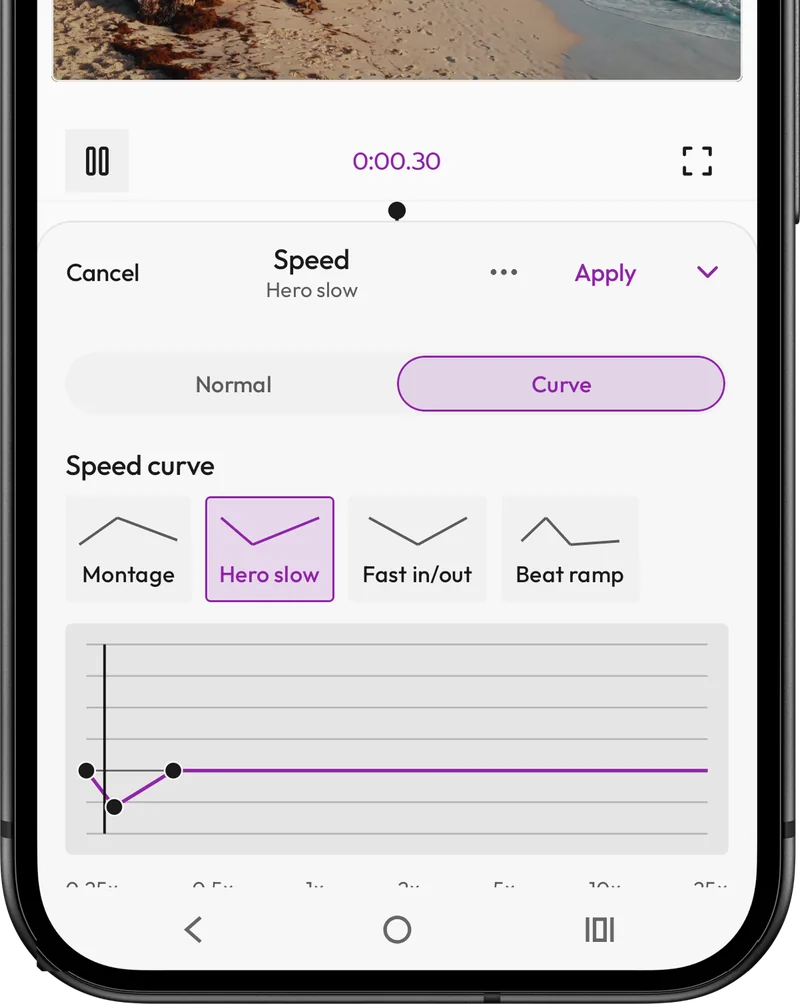
Start a 9:16 project in Creovia Creator, trim and split your clips on the timeline, and add music to cut to. Text and stickers sit as overlays you can place anywhere and style for contrast, speed changes are set per clip, and transitions sit visibly at the seams. When it is ready, export with a preset for the platform; the file matches the preview exactly.
Quick answers
- How long should a Reel or TikTok be?
- As short as the idea allows. Many effective short videos are well under a minute; length matters less than whether every second holds attention.
- What makes people stop scrolling?
- A clear hook in the first moment: the result, a question, or something unexpected, shown in the picture and in on-screen text.
- Should I add captions to my short videos?
- Yes. Many people watch with the sound off, so on-screen text that carries the main point keeps them watching.
- How do I make a video loop smoothly?
- End on a frame that leads naturally back into the first one, or stop straight after the payoff so the replay feels intentional.