Reels, TikTok and YouTube Shorts all show the same kind of video: tall, short and watched on a phone. Get the export right once and the same settings work on all three.
Here is what to choose, and why each choice matters.
Shape: 9:16, filling the screen
Vertical 9:16 fills a phone screen from top to bottom. Wide footage can still work: put it on a 9:16 canvas and either fill the frame or place it in the middle with a background. Do not upload a wide video and let the app crop it for you, or you will lose the edges of your shot.
Resolution: 1080 × 1920 is the safe choice
Full HD vertical, 1080 pixels wide and 1920 tall, is the standard for short vertical video. A higher resolution rarely looks better after the platform compresses it, and it makes the file bigger and slower to upload.
If your editor offers a lower preset, keep it for drafts and messages, not for the final post.
Frame rate: keep what you shot
Export at the frame rate you recorded, usually 30 frames per second. Converting 30 to 60 does not add smoothness; it only repeats frames. If you shot at 60 for smooth motion or slow motion, keep 60.
Quality and file size
Every platform re-compresses what you upload. Give it a clean, high-quality file and the compressed version will look better than if you start with an already-squeezed one. Pick your editor's high-quality preset for the final upload.
If the file is too big to send to yourself or a client, choose the next preset down rather than compressing the finished file again. An estimated file size before export makes that choice easy.
Safe zones: keep text out from under the buttons
The platform draws its own interface over your video: the caption and username at the bottom, buttons down the right-hand side, and sometimes a header at the top. Anything you put there may be hidden.
- Keep titles and captions in the middle of the frame.
- Leave a margin along the bottom and the right-hand edge.
- Check the first frame too: it is often the thumbnail.
Sound
Most people watch the first seconds before they decide whether to turn the sound on. Put the hook in the picture, not only in the audio, and keep music below speech so voices stay clear.
One edit, three platforms
Because the three platforms want the same shape, you can usually post one export everywhere. Re-export only when you change something, such as a caption that refers to one platform, or a different length.
Doing it in Creovia Creator
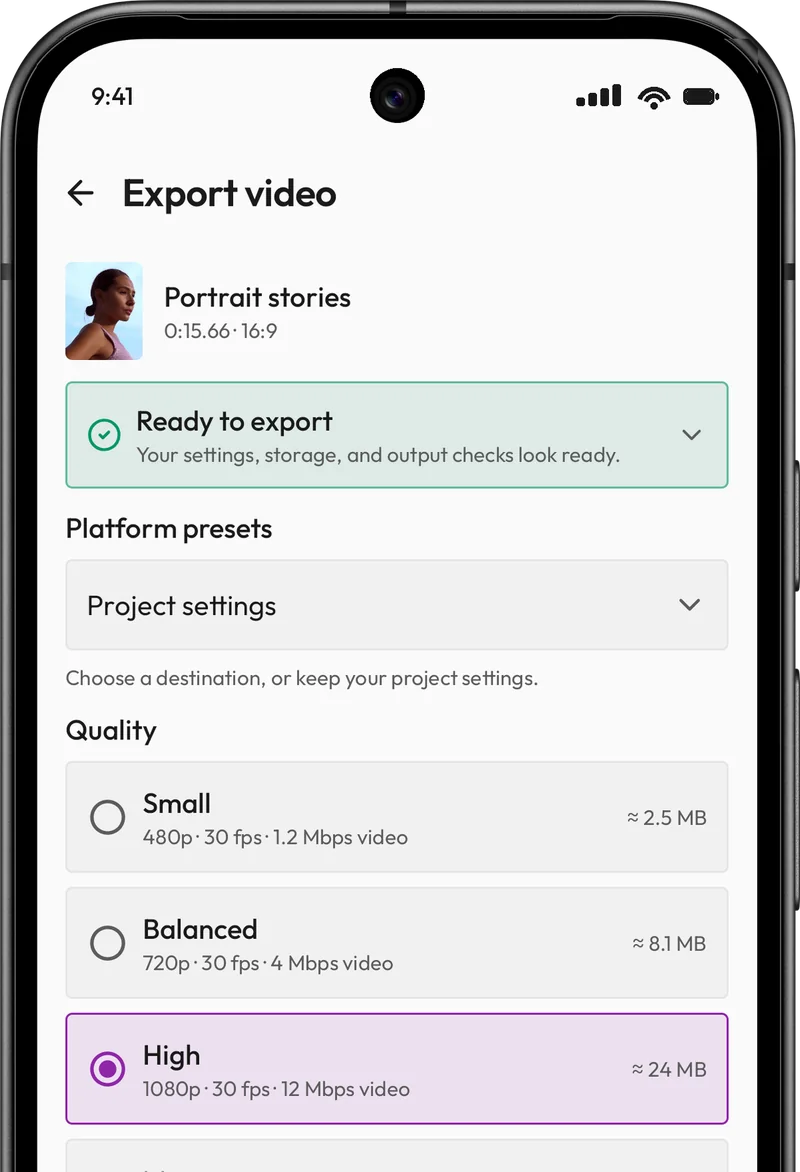
In Creovia Creator, choose the 9:16 canvas for Reels, TikTok and Shorts and decide whether the clip fills the frame. When you export, platform presets and quality options set the details, and the estimated size shows before you start. The export uses the same rendering as the preview, so captions land exactly where you placed them.
Quick answers
- What resolution should I export Reels and TikToks at?
- 1080 × 1920 (Full HD, vertical 9:16). It is the standard for short vertical video, and it keeps files a sensible size.
- Should I export at 30 or 60 fps?
- Use the frame rate you shot at. Most phone video is 30 fps; export at 60 only if you recorded at 60.
- Why does my video look worse after I upload it?
- Platforms re-compress every upload. Exporting at high quality gives that compression more to work with, so the result stays sharper.
- Can I post the same video to Reels, TikTok and Shorts?
- Yes. All three use the same vertical shape, so one 9:16 export works on each. Keep text away from the bottom and right-hand edge so no platform covers it.