Festive effects are fun, and easy to overdo. A little falling snow or a few sparkles can make a winter or party photo feel special; too much and the photo disappears behind the decoration.
Here is how to choose the right effect for the photo and make it look like part of the scene.
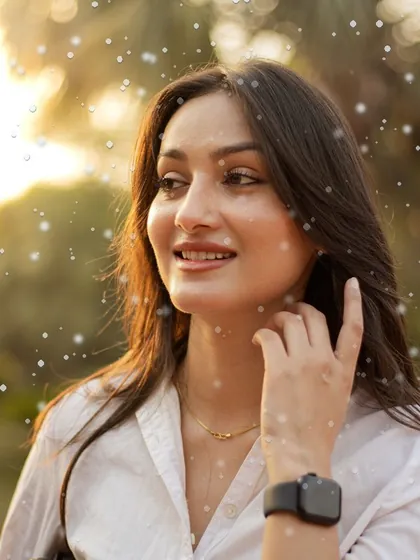
Pick the effect that fits the scene
- Snow: winter walks, cold blue evenings, cosy portraits by a window.
- Sparkle and star highlights: party lights, candles, city lights and anything shiny.
- Embers: bonfires, candles, sunsets and warm night shots.
- Rain on glass: moody, quiet photos taken indoors looking out.
- Mist: early mornings, forests and soft dreamy portraits.
Match the effect to the light
Effects look real when they agree with the photo. Snow suits cool, soft light; embers suit warm light; sparkle needs bright points for the stars to sit on. Putting a warm ember glow on a cold blue scene looks pasted on.
Set the colour filter first, then add the effect, so the effect sits inside the same palette.

Keep faces clear
Snowflakes and sparkles across someone's eyes look like a smudge on the lens. Use a lower strength so the effect stays light, and choose photos where there is open space around the person for the effect to fill.
Use a night or cool filter underneath
Festive effects often look best on a matching colour look: a cool or blue-hour filter under snow, a deep night filter under city sparkle, a warm film filter under embers.
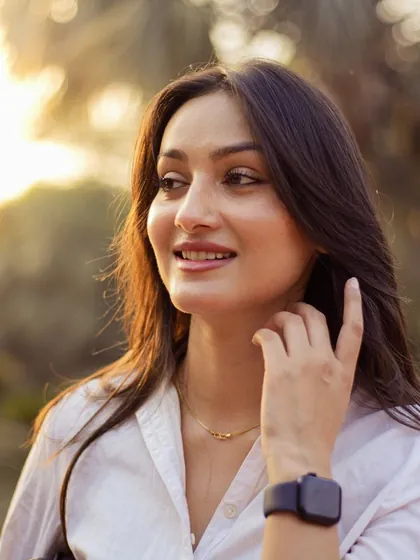
One effect per photo
Snow plus sparkle plus a frame is three ideas fighting each other. Choose the one that tells the story of the moment and leave it there.
Make a set that matches
For a holiday album or a run of posts, use the same filter and effect on every photo and only adjust the strength for each one. The set will look planned rather than random.
Festive effects in Creovia FX
Creovia FX has weather and light effects including Snowfall, Floating Embers, Window Rain, Morning Mist and sparkle stars, alongside night and film colour filters. Pair one filter with one effect, set the strength of each, compare with the original, and save the combination to use across the whole set or live in the camera. Everything happens on your phone. FX is coming soon to Android, iPhone and iPad.
Quick answers
- How do I add a snow effect to a photo?
- Use a snow overlay or effect at a moderate strength, on a photo with cool, soft light and some open space around the subject.
- How do I make my Christmas photos look magical without overdoing it?
- Choose one effect that matches the light, such as snow for cool scenes or sparkle for party lights, keep it gentle and keep it off faces.
- Can I add sparkles to photos on my phone?
- Yes. Photo effect apps such as Creovia FX add sparkle and star highlights, and the strength can be set so they stay subtle.
- Why does my snow effect look fake?
- It is usually too strong, covers faces, or sits on warm light that does not match snow. Lower the strength and use a cooler colour filter underneath.